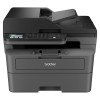
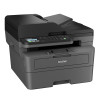
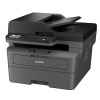
Key Features:
-
Wireless and Wired Connectivity:
- It supports Wi-Fi and Ethernet connectivity, making it easy to print wirelessly from computers, smartphones, and tablets.
- It also has Wi-Fi Direct for direct printing from mobile devices without the need for a router.
-
Duplex Printing:
- The printer supports automatic duplex printing, meaning it can print on both sides of the paper automatically, saving paper and improving efficiency.
-
Fast Printing Speed:
- The printer offers a print speed of up to 30 pages per minute (ppm), making it efficient for high-volume printing.
-
High-Quality Printing:
- The print resolution is up to 2400 x 600 dpi, delivering sharp and professional-quality text documents.
-
Large Paper Capacity:
- It has a 250-sheet paper tray, reducing the need for frequent paper refills.
- It also includes a 50-sheet automatic document feeder (ADF) for scanning and copying multi-page documents.
-
Mobile Printing:
- The MFC-L2805DW supports mobile printing solutions like Apple AirPrint, Google Cloud Print, and Brother iPrint&Scan.
-
Compact Design:
- It has a compact and space-saving design, making it a good fit for small offices or home setups.
-
Security Features:
- The printer includes secure print to protect sensitive documents.
General Specifications:
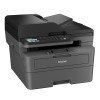
- Type: Monochrome laser printer
- Functions: Print, Scan, Copy, Fax
- Display: 2-line LCD display
- Cartridge Type: Uses the Brother TN-2380 toner cartridge, which is known for its high page yield (up to 2,600 pages).
Maintenance & Troubleshooting:
- Low toner/ink: If you are getting a low toner warning, you may need to replace the toner or reset the toner cartridge counter.
- Wi-Fi Setup: Ensure that your printer is connected to the same network as your computer or mobile device. You can set up Wi-Fi through the printer’s control panel or via the Brother installation software.
- Paper Jams: Check the paper tray, drum, and paper feed path for any obstructions.

Reviews
There are no reviews yet.