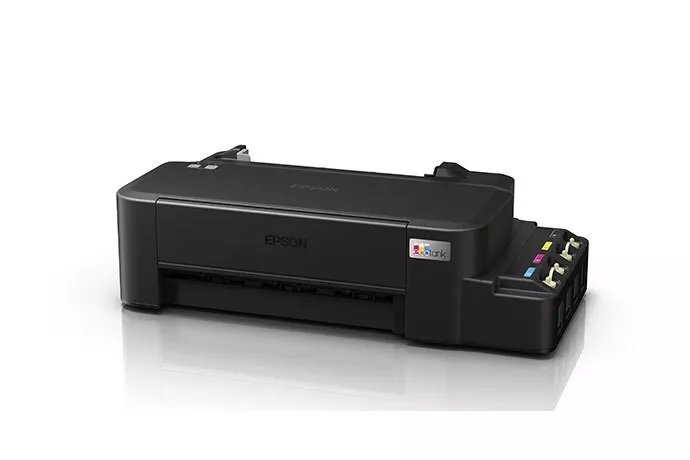
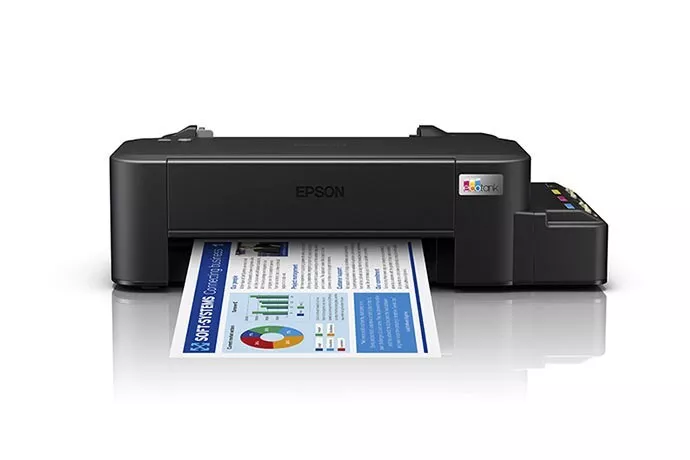
Key Features:
-
EcoTank Technology:
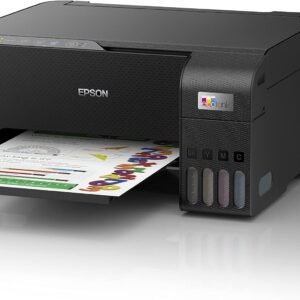
- The L121 uses refillable ink tanks instead of traditional cartridges. This can significantly lower printing costs and increase the number of pages you can print before needing to refill the ink.
- The printer comes with a set of high-yield ink bottles, and each bottle is designed to fill the respective ink tank easily and mess-free.
-
Affordable Printing:
- Thanks to the ink tank system, the L121 provides low-cost per page printing. It’s an excellent choice for individuals or small offices with moderate printing needs.
-
Compact and Space-Saving:
- The L121 is compact and designed for small spaces. This is ideal if you’re working in a home office or a small business where desk space is limited.
-
High-Quality Prints:
- It offers a print resolution of up to 5760 x 1440 dpi (dots per inch), which delivers sharp and vibrant prints, even for images or graphics.
-
Fast Printing Speed:
- The printer can print at speeds of up to 8.5 pages per minute (ppm) for black-and-white documents and 4.5 ppm for color prints, which is decent for an entry-level printer.
-
USB Connectivity:
- The Epson L121 connects to your computer via a USB 2.0 port. It doesn’t offer wireless connectivity, so you’ll need to have the printer physically connected to your computer or laptop for printing.
General Specifications:
- Type: Inkjet printer
- Functions: Print (single-function printer)
- Display: There is no built-in display; the printer is controlled via the computer.
- Cartridge Type: Refillable ink tank system
- Ink Bottles: Uses Epson ink bottles (e.g., T6641 for black, T6642 for cyan, T6643 for magenta, and T6644 for yellow).
- Supported Paper Sizes: A4, A5, A6, B5, DL envelope
- Print Resolution: 5760 x 1440 dpi
- Print Speed: 8.5 ppm (black), 4.5 ppm (color)
- Input Paper Capacity: 60-sheet input tray
Maintenance & Troubleshooting:
- Refilling Ink:
- The printer has transparent ink tanks, so you can easily see when the ink level is low. To refill, use the appropriate Epson ink bottles designed for the L121. Always be careful not to spill ink when refilling.
- Print Quality Issues:
- If you’re experiencing poor print quality, such as streaks or faded prints, it might be due to clogged print heads. Epson printers have a head cleaning function that you can activate from the printer settings (through your computer) to clear blockages.
- Paper Jams:
- If there’s a paper jam, open the paper tray and gently remove any stuck paper. Check the paper path and ensure that the paper is correctly loaded into the tray and not overfilled.
- Software & Driver Installation:
- For the printer to work with your computer, you’ll need to install the appropriate drivers from Epson’s official website. The installation should be straightforward, but make sure to download the latest driver version for your operating system.
Pros:
- Low cost per page due to the refillable ink tank system.
- Good print quality for both text and images.
- Compact design.
- Great for individuals or small offices with moderate printing needs.
Cons:
- No wireless or network printing option (only USB).
- Single-function printer (no scanning or copying capabilities).

Reviews
There are no reviews yet.